
Search Assets
The search assets screen allows an asset to be selected for showing the survey job details data. The screen can also allow multiple assets to be selected when used from the explorers.
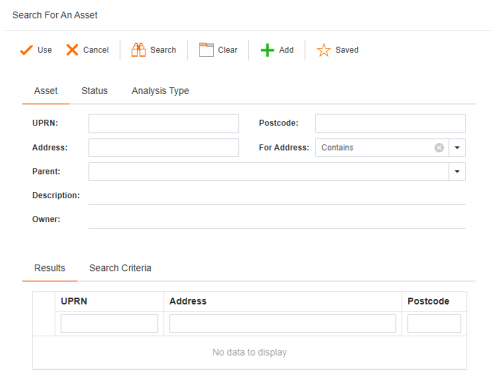
 | When an asset is selected in the results clicking the Use button will use that asset. If the search was started from an explorer then the Use button will use all of the assets in the results. |
 | Cancels searching for an asset. |
 | Starts a search of the assets using the entered search criteria. The results will be shown in the results grid. The Search button will remain enabled if it is possible to refine the data and search again (ie you search for UPRN 7, then search again for UPRN 74). |
 | Clears all search criteria fields back to an empty state to allow a new search to be started. If a default search type is in use to the default search types state. |
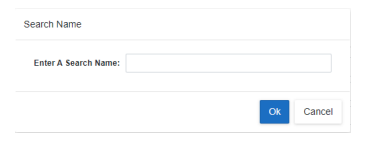
 | Allows the current search criteria to be saved for future use. The screen allows a name to be given to the saved search. |
 | Shows the Select Search screen allowing a previously saved search to be used. |
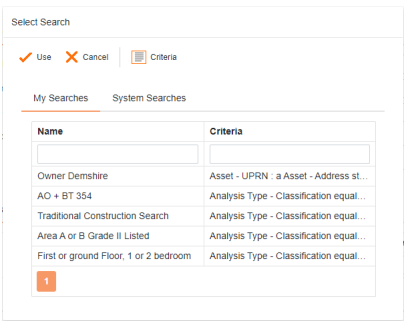
Use: Uses the selected saved search and sets the information to the Search Assets screen. This information can be amended or used immediately in a new search.
Cancel: Cancels selecting a saved search.
Criteria: Shows the criteria of the saved search.
My Searches: Shows this users saved searches.
System Searches: Shows saved searches that can be seen and used by all users.