Lab Samples
The Lab Samples section of Asbestos shows all the asbestos lab sample information within the system and can be accessed through the left-hand side navigation pane.
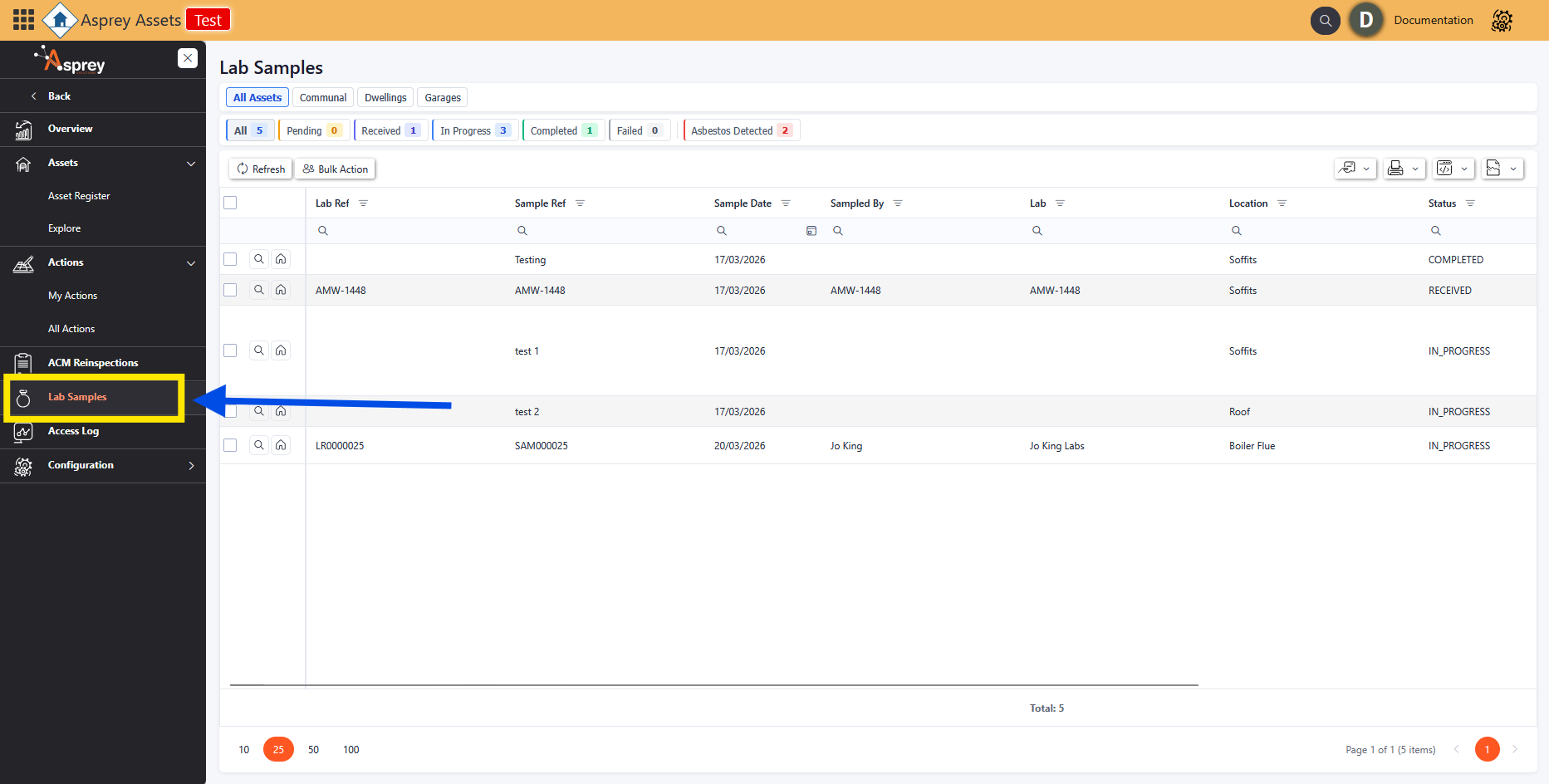
Lab Samples Navigation
The header bar has all the status options available with the count of Lab samples per status. Clicking on these will filter the view of the grid to show the relevant actions for that status.

Lab Samples Header Bar
Viewing a Lab Sample
To view a Lab Samples from the Lab Samples screen, click on the magnifying glass in the desired row. This will open up a pop-up with the Lab Sample details.
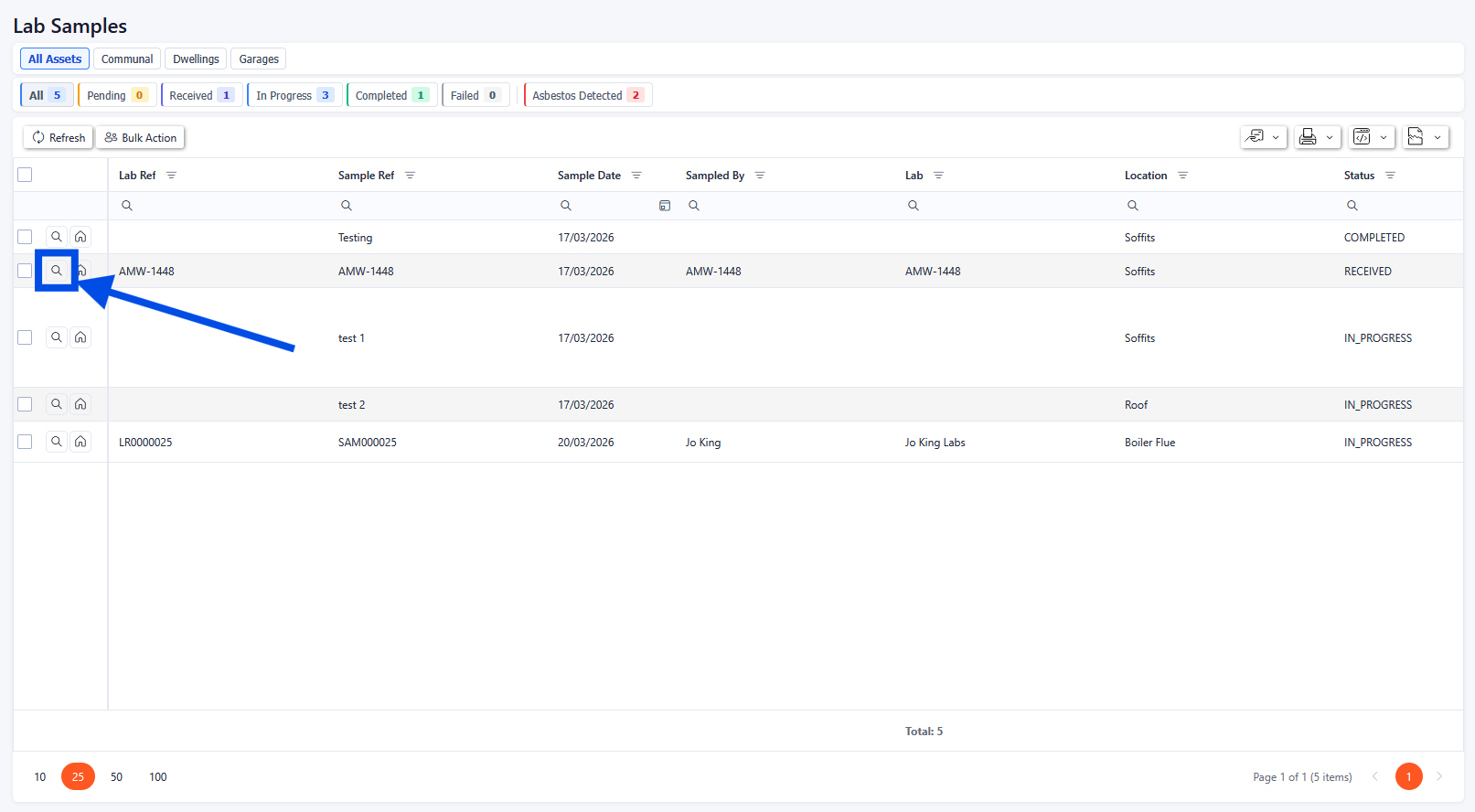
Lab Samples drill-through
Lab Sample Details
When the magnifying glass is selected, a pop-up will appear with the lab sample details. From here, details of the Survey Record can be updated (with relevant permissions enabled).
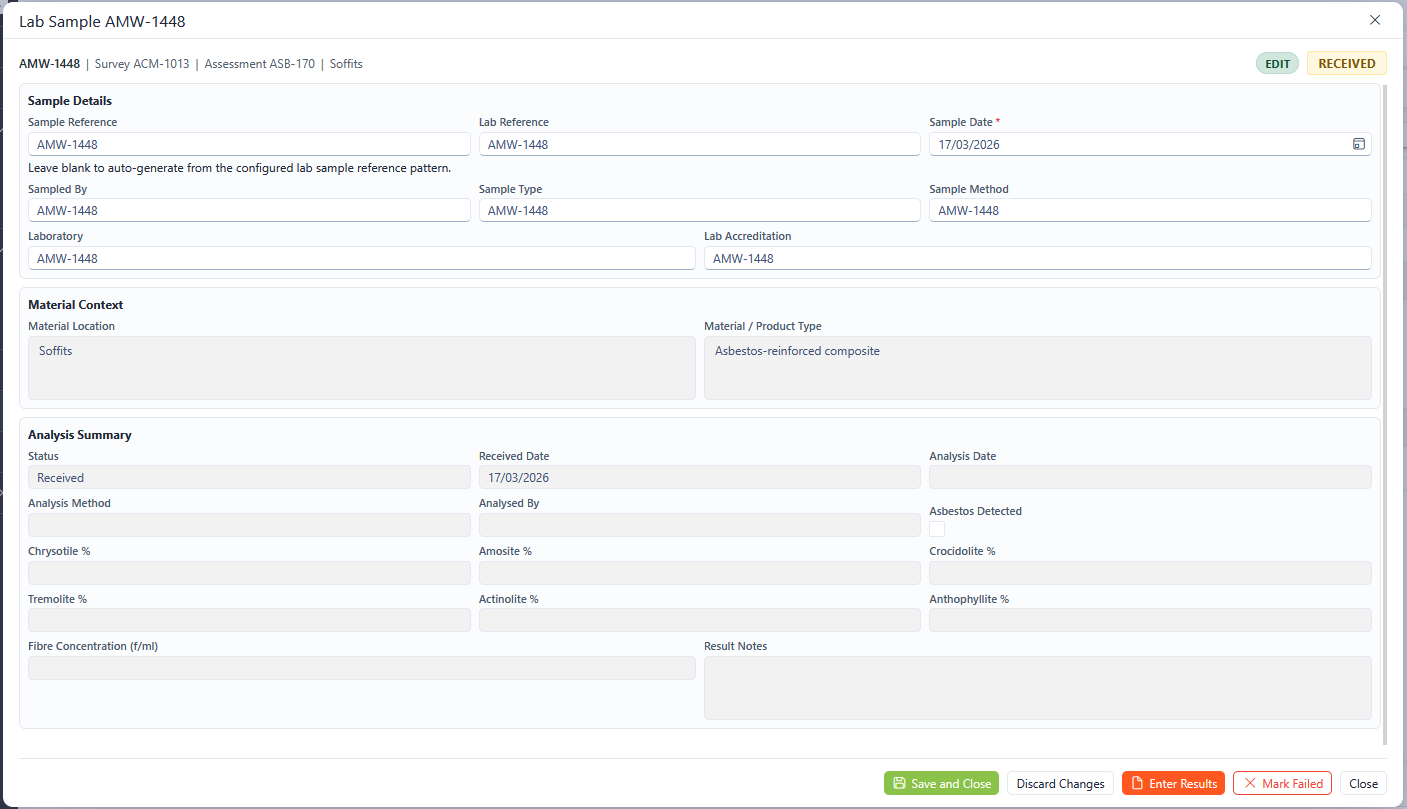
Lab Sample details
Any fields marked with an asterisk (*) are mandatory fields and must be completed.
The options for the Lab Sample in the lower right-hand corner allow for updates to be made.

Save and Close - saves any changes made and closes the pop-up
Discard Changes - discards any changes made but the pop-up remains open
Enter Results - allows for results of the lab sample to be entered
Mark Failed - allows the lab results to be marked as failed
Close - closes the pop-up.
Enter Lab Results
When the Enter lab results button is clicked, a new pop-up will appear where the lab results can be entered. Match the relevant fields from the lab results to the system. Once complete, click the Save Results button.
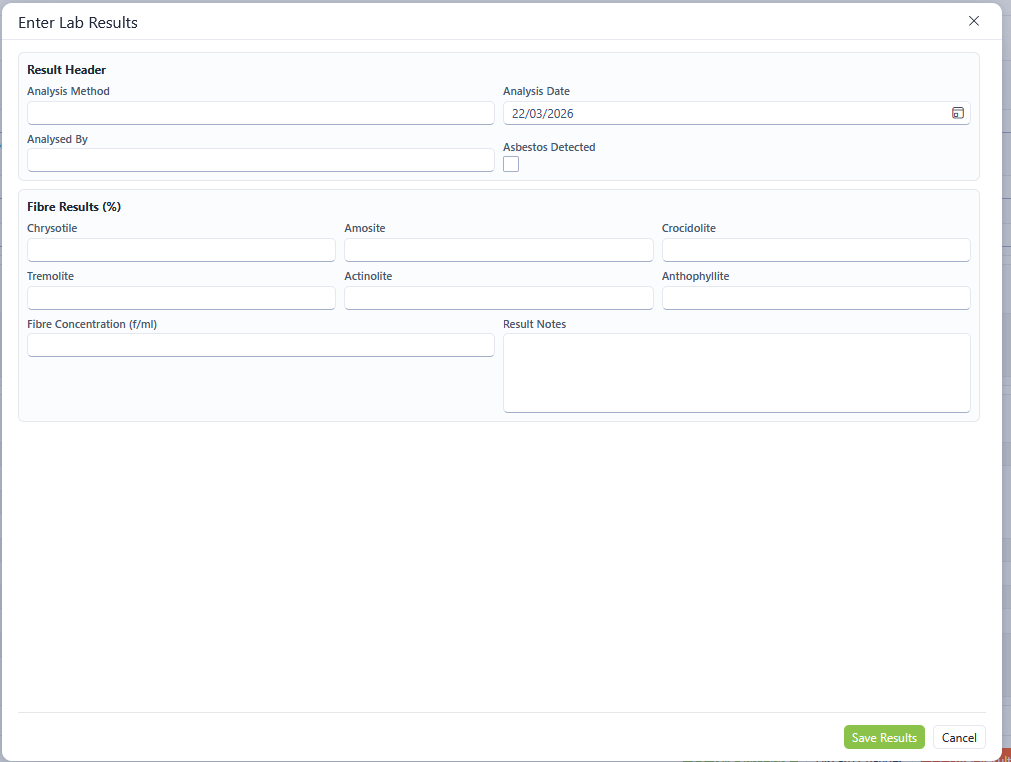
Enter Lab Results
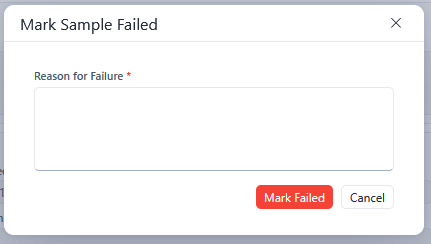
Mark as Failed
To mark a sample as failed, click the Mark Failed button in the bottom right-hand corner. Enter a failure reason and click Mark Failed.