
ACM Reinspections
The Asbestos Containing Material (ACM) Reinspection section of Asbestos shows all the asbestos reinspection information within the system.
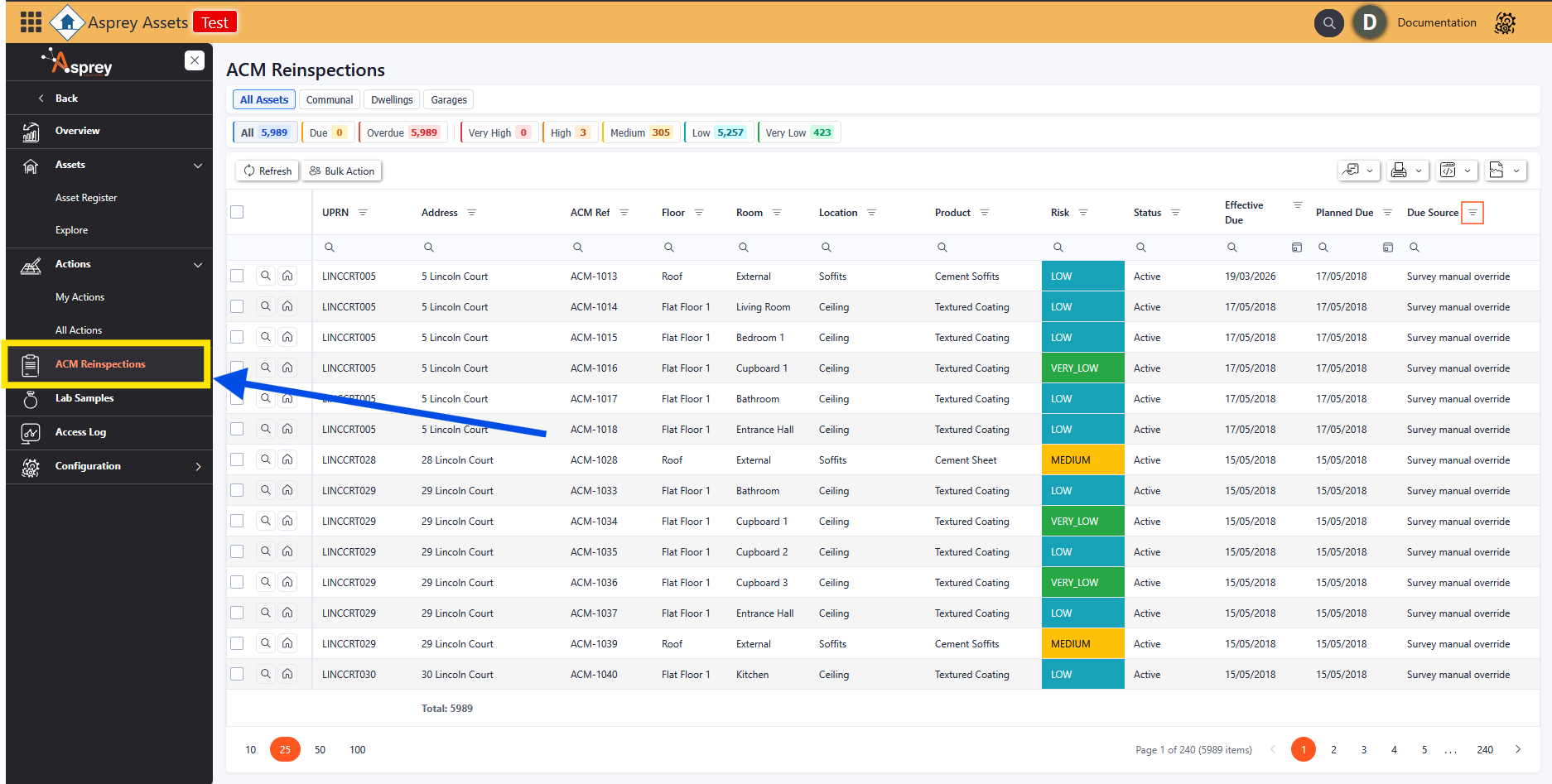
ACM Reinspections
The header bar has all the status options available with the count of reinspections per status. Clicking on these will filter the view of the grid to show the relevant actions for that status.

ACM Reinspections Status Bar
Viewing a Reinspection from the ACM Reinspections Page
To view a reinspection from the ACM Reinspections screen, click on the magnifying glass in the desired row. This will open up a pop-up with the survey details.
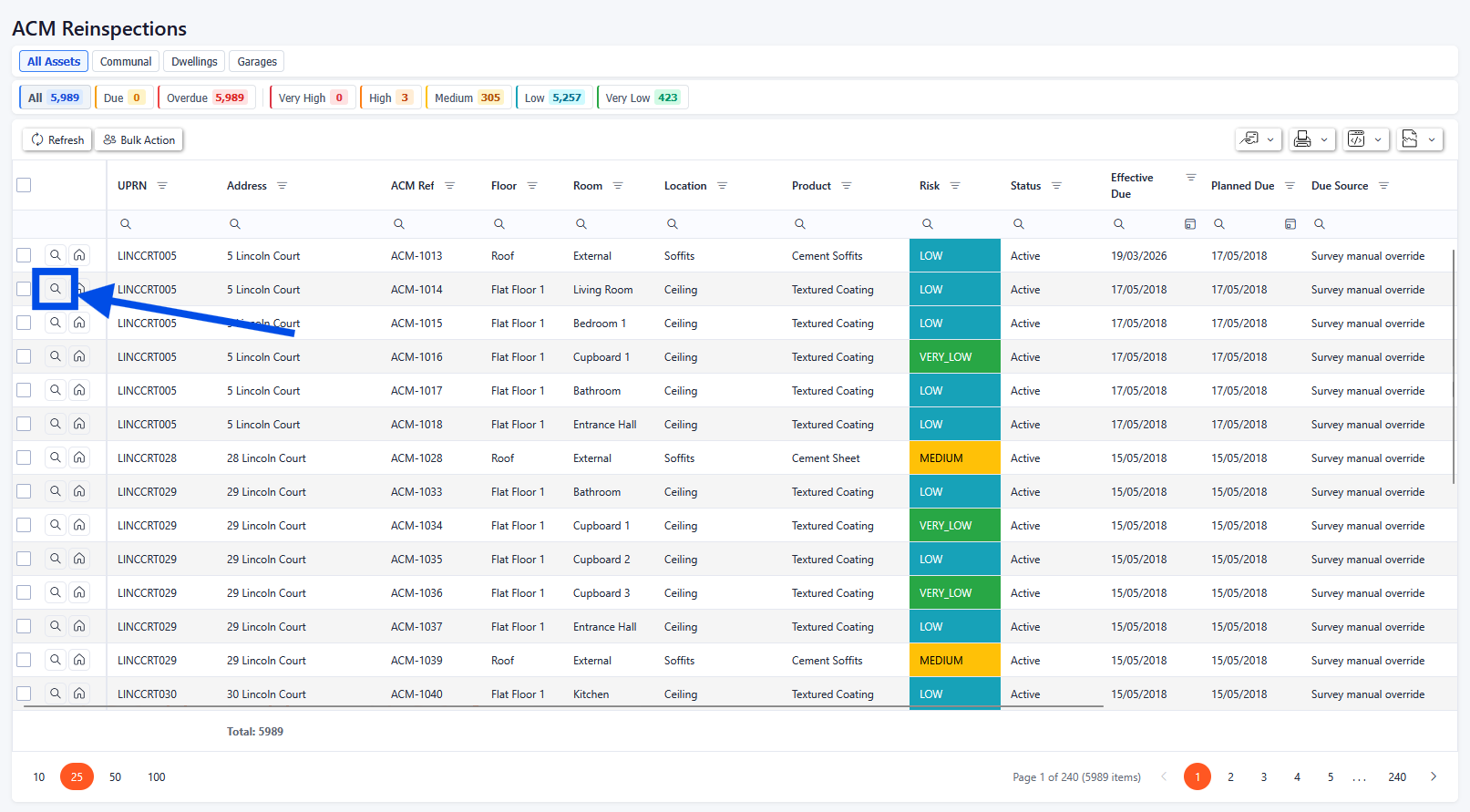
ACM Reinspections drill-through
Survey Record Details
When the magnifying glass is selected, a pop-up will appear with the Survey Record details. The first tab will show all the details for the Survey Record. From here, details of the Survey Record can be updated (with relevant permissions enabled).
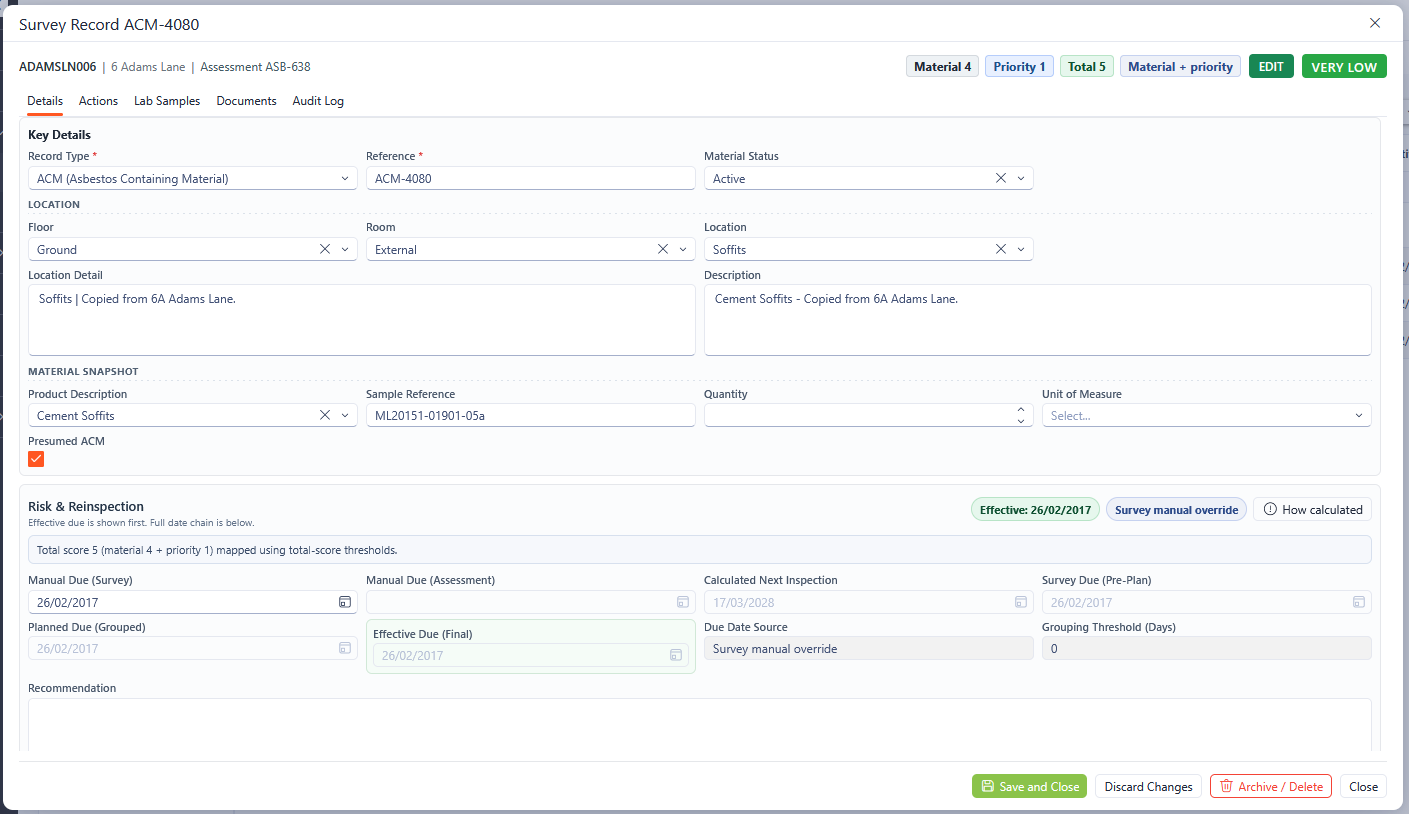
Survey Record Details
Any fields marked with an asterisk (*) are mandatory fields and must be completed.
Survey Record Actions
The Actions tab of the Survey Record section shows all the actions associated with the selected Survey. New actions can also be added from this screen.
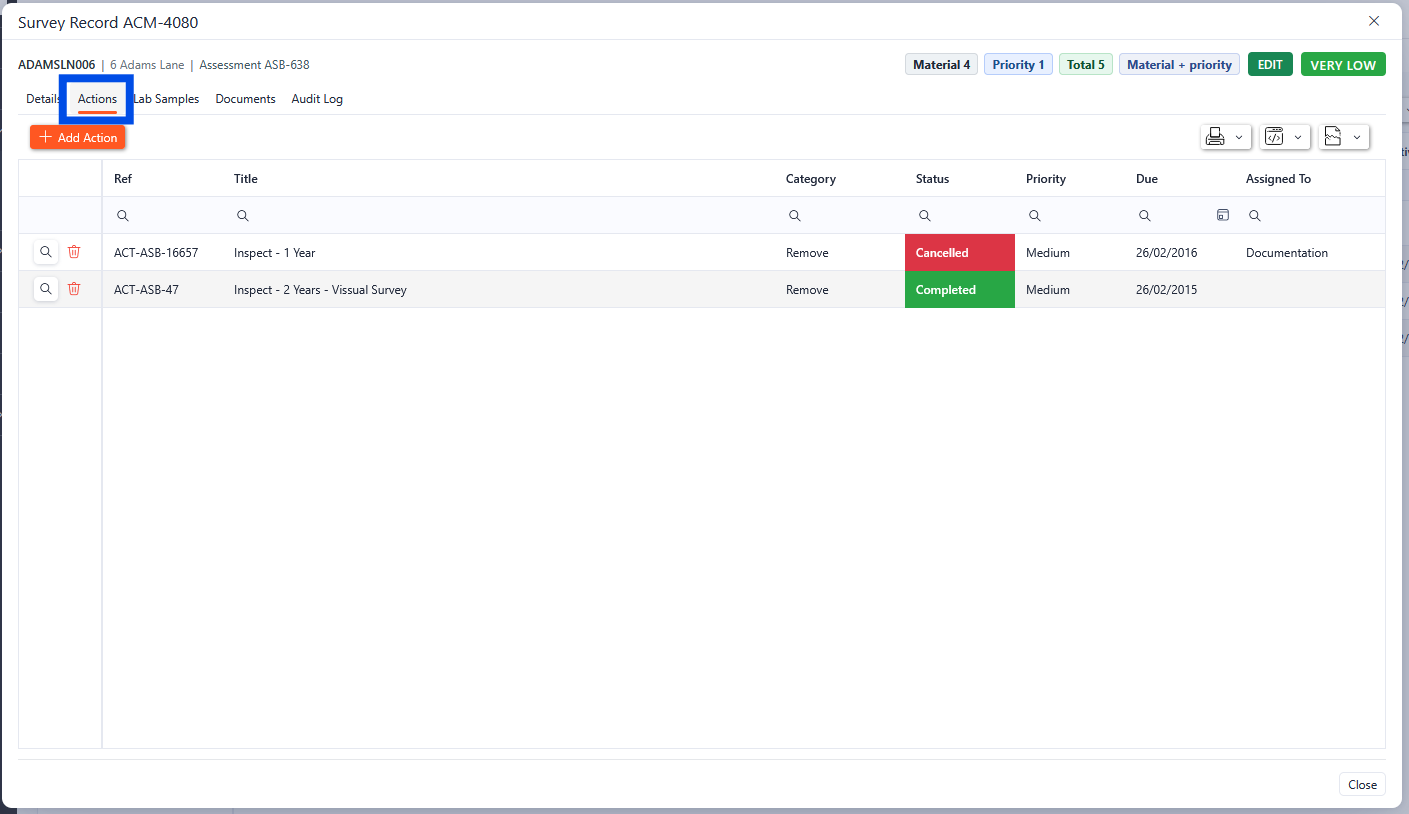
Survey Record Actions Tab
Survey Record Lab Samples
The Lab Samples tab of the survey record section shows all the actions associated with the selected survey. New Lab Samples can also be added from this screen.
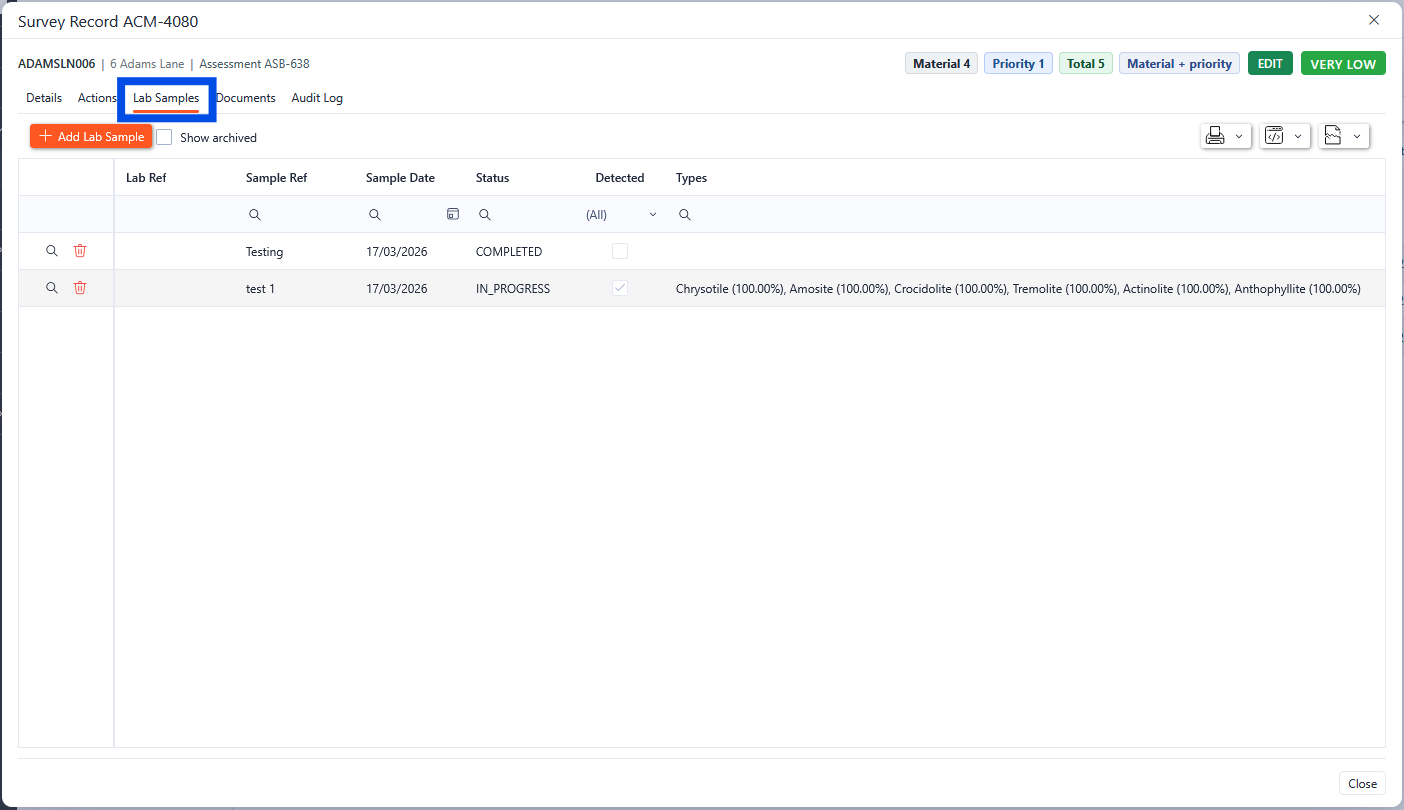
Survey record lab samples
Any of the Lab Samples can be viewed by clicking the magnifying glass in the required row. This will open up a new pop-up box with the details of the Lab Samples.
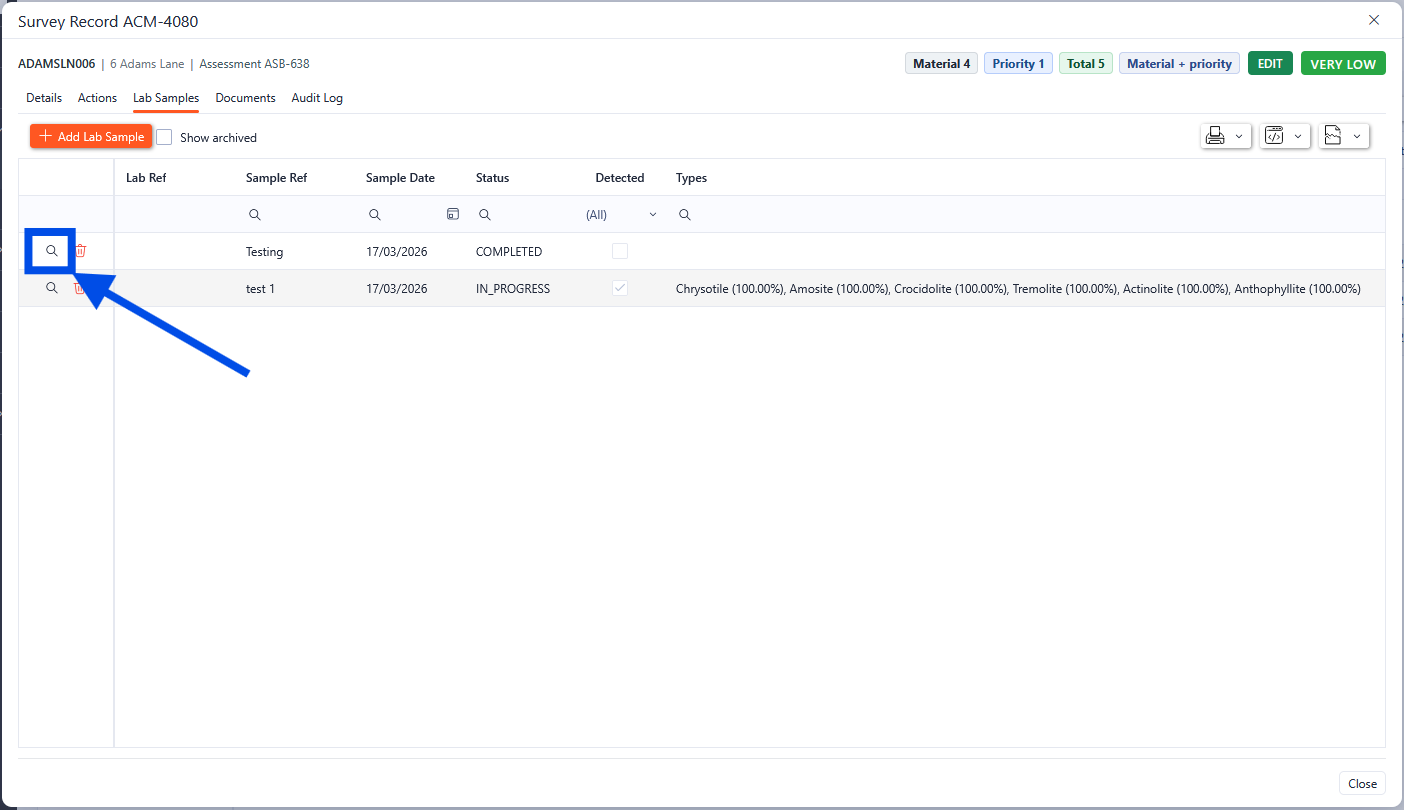
Survey record lab samples
Survey Record Documents
The documents tab within the survey record shows all the documents associated with the survey. From here, new documents can be uploaded, and existing documents can be viewed and downloaded.
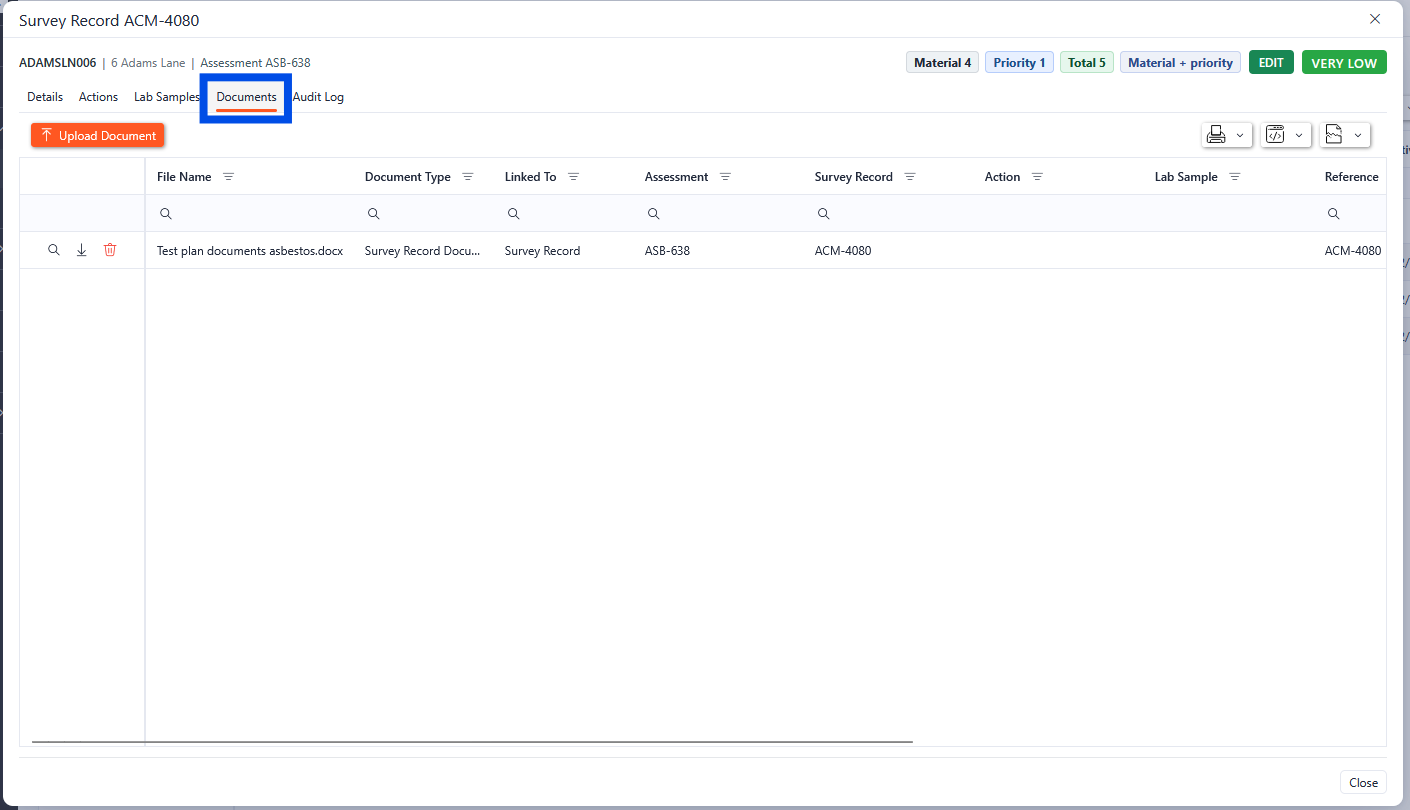
Survey record documents
Survey Record Audit Log
The audit log shows the audit trail for the Survey Record.
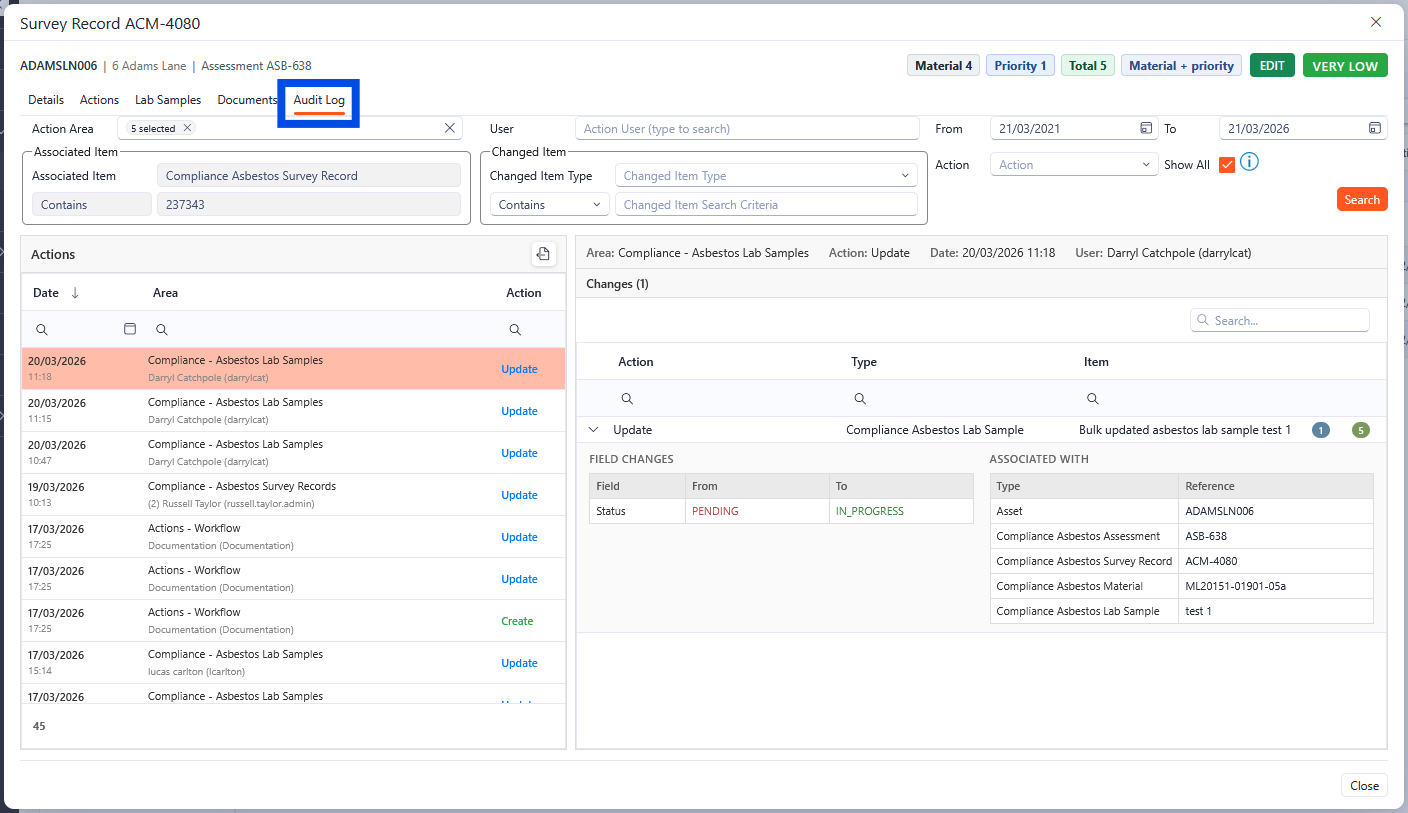
Survey Record audit log
ACM Reinspection Bulk Actions
Within the ACM Reinspections there is a built-in tool for bulk actions, allowing users to make changes to multiple selected Survey records.
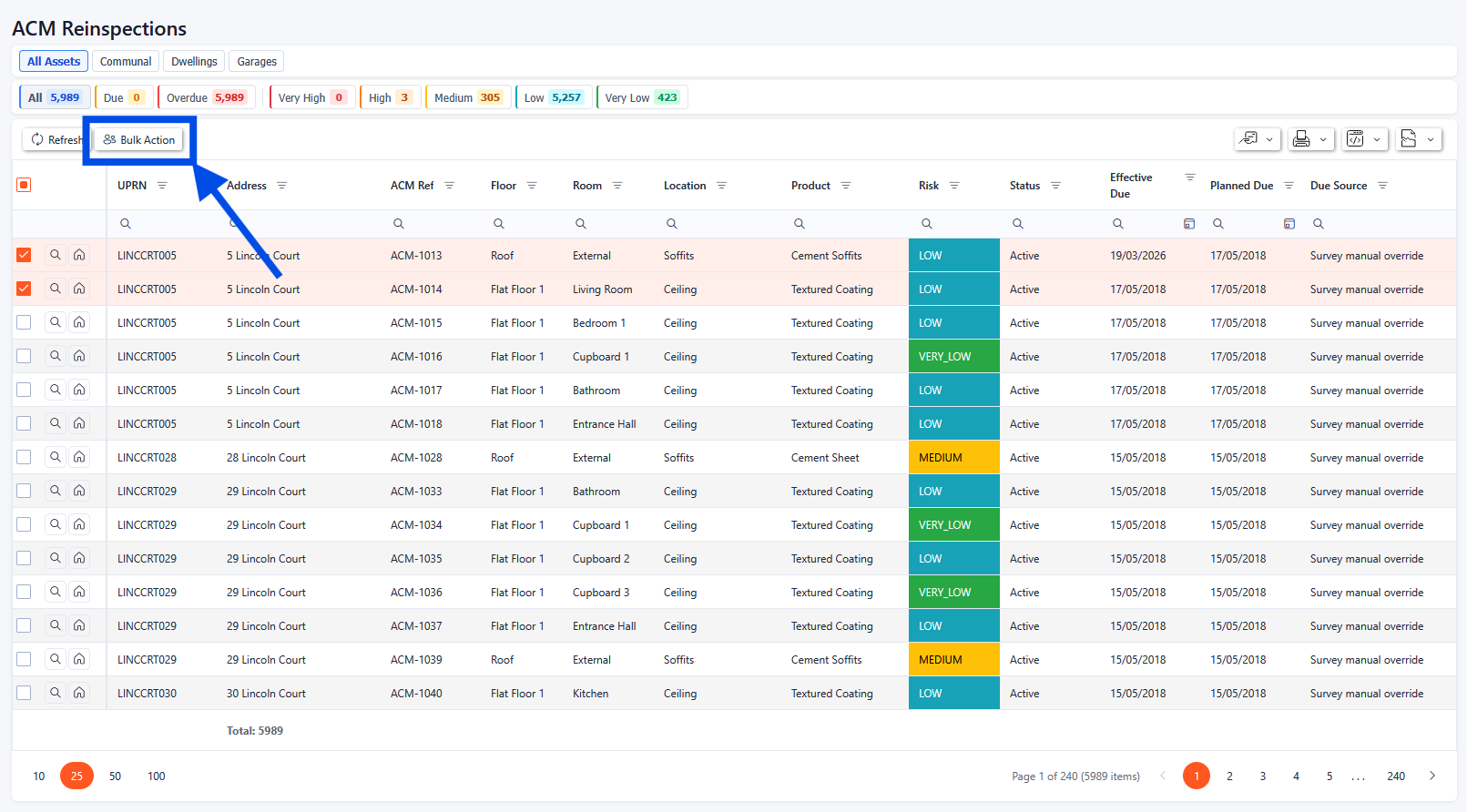
Bulk action location within the ACM Reinspections section
Once the bulk action button has been selected, a popup dialogue box will appear with the bulk change options available.
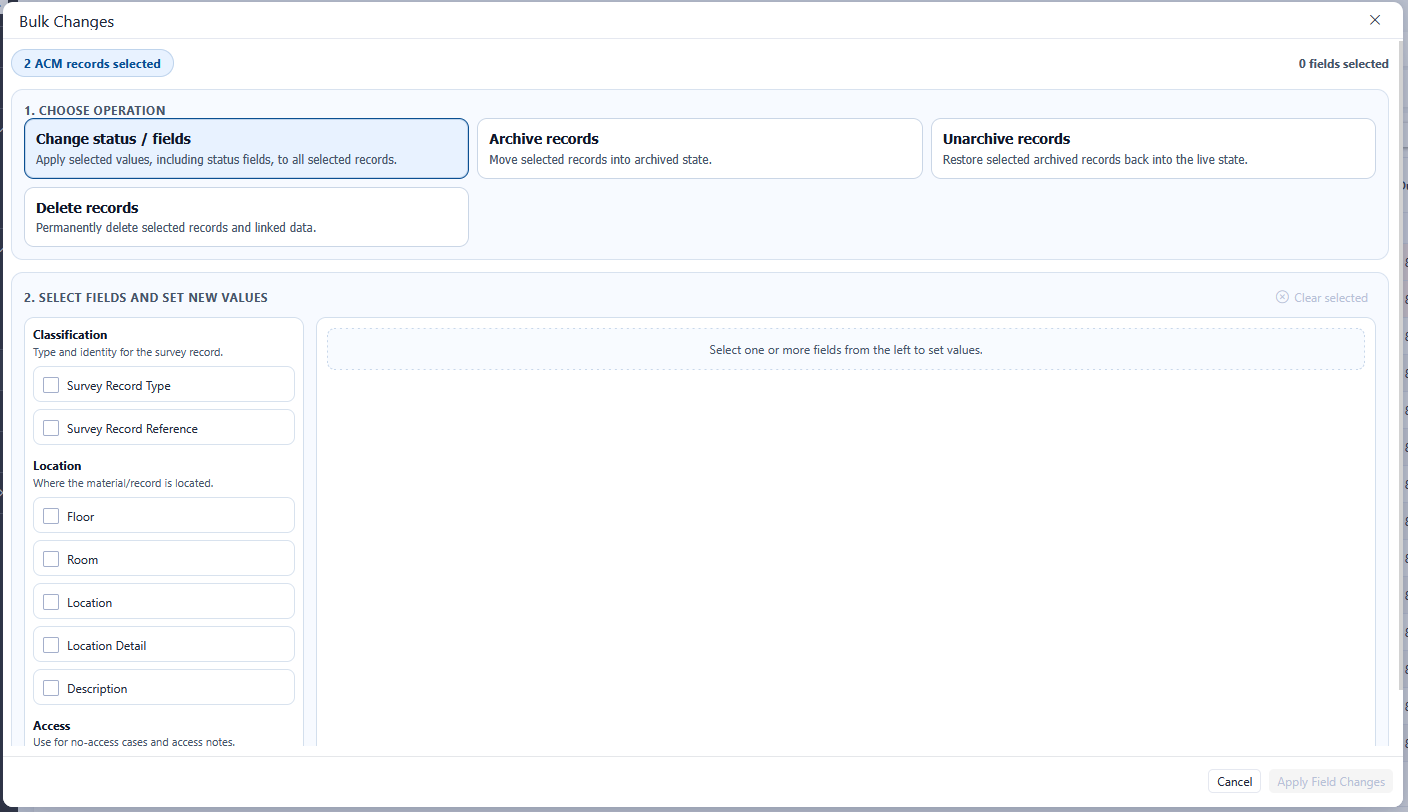
The bulk changes popup box has multiple operation options to choose from. The lower grid will update to reflect the operation selected in the top section.
Bulk Actions - Change Status/Fields
When the Change Status/Fields operation is selected in the bulk actions popup, this allows for certain fields to be bulk updated. Any number of the update fields can be selected in a single update. The number of selected fields is displayed in the top right-hand corner.
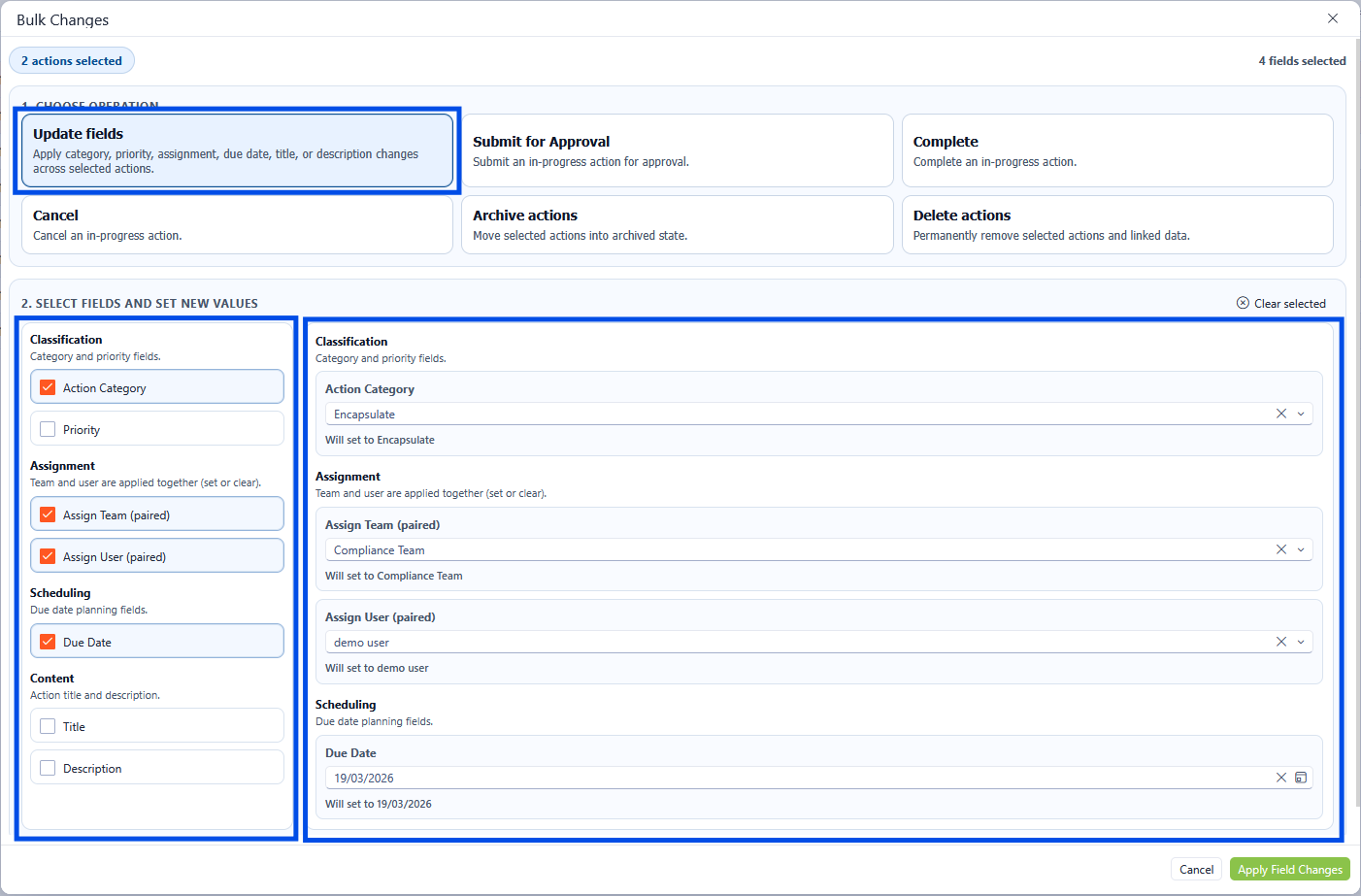
Bulk Actions - Update Fields
Once the relevant updates have been selected, click the Apply Field Changes button to save the changes.
Bulk Actions - Archive the Record
Multiple surveys can be archived by clicking the Archive Records button and clicking Apply Action.
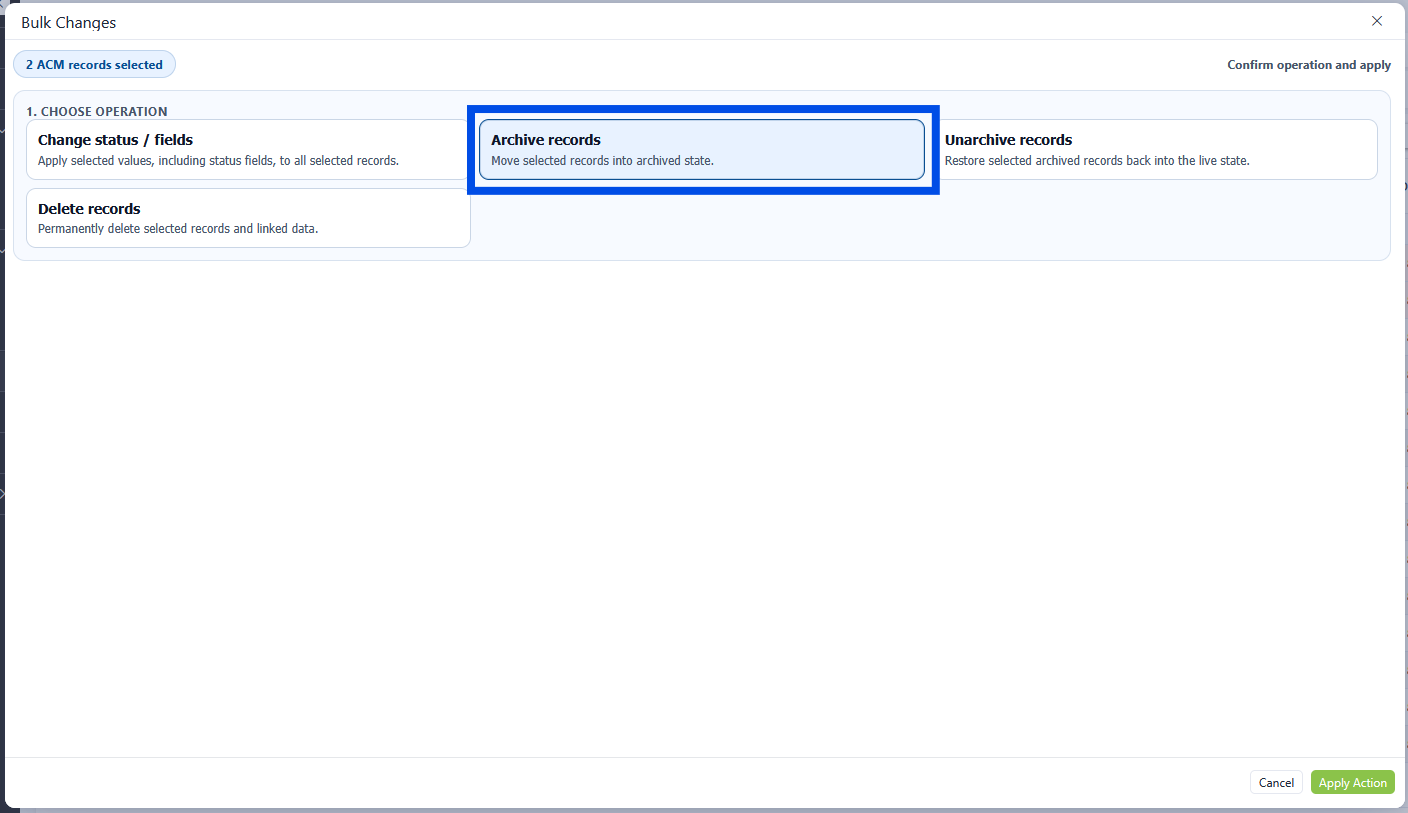
Bulk Action - Archive
Bulk Actions - Unarchive the Record
Multiple surveys can be unarchived by clicking the Unarchive Records button and clicking Apply Action.
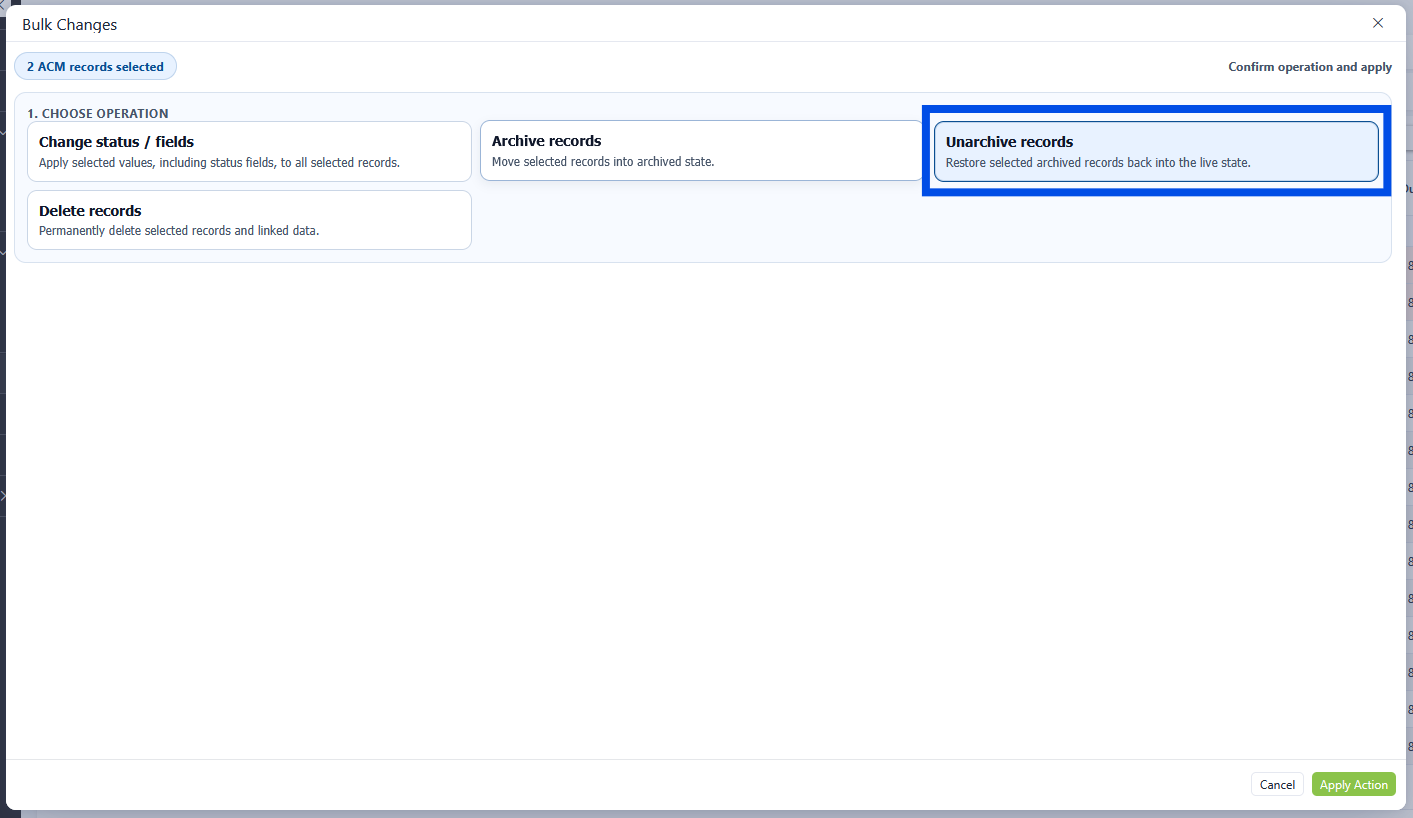
Bulk Action - Unarchive.
Bulk Actions - Delete
Multiple surveys can be deleted by clicking the Delete Records button and clicking Apply Action.

Deleting a record is permanent and cannot be undone once actioned.
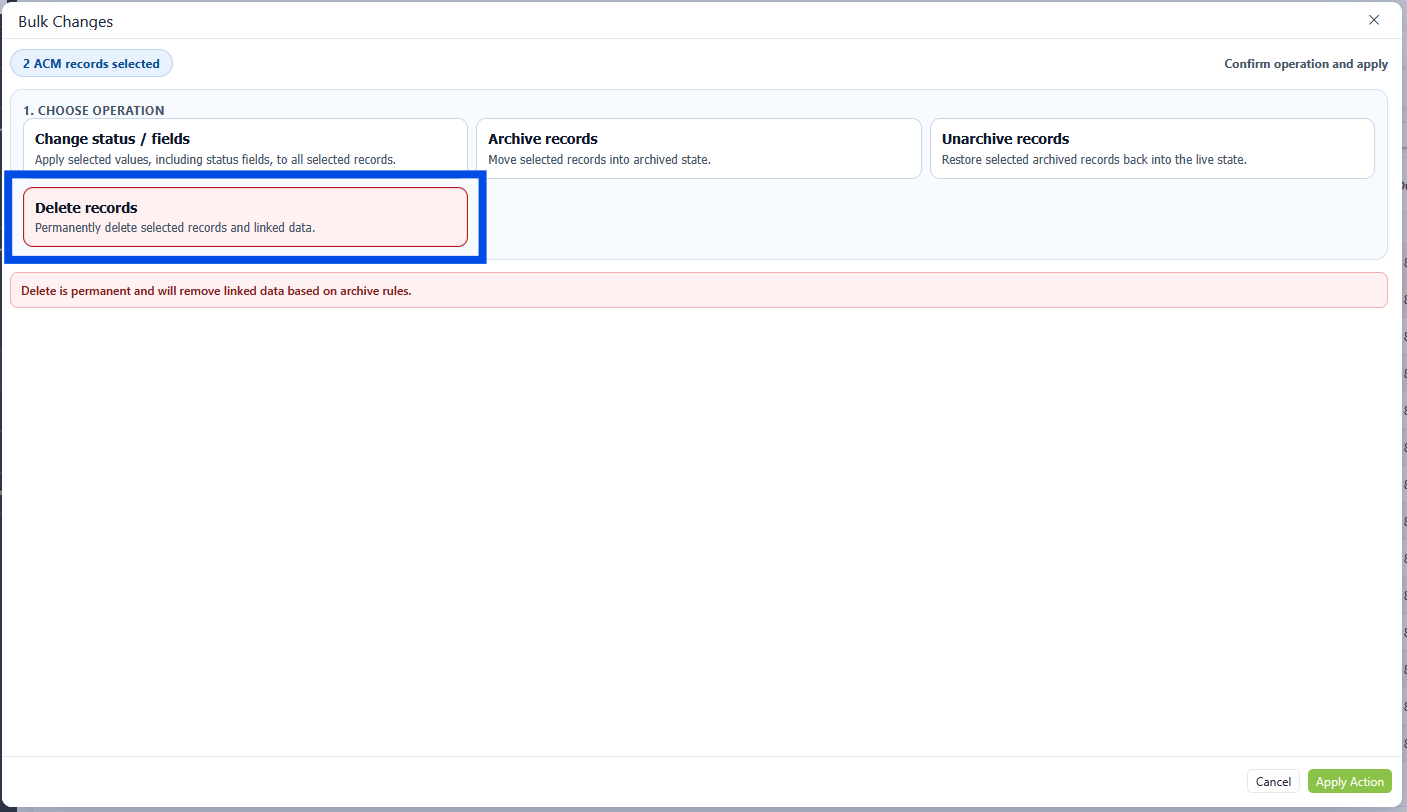
Bulk Actions - Delete records